Download the tachograph over Bluetooth, with the driver phone
The VYS Tacho app reads the driver card and the vehicle unit wirelessly and puts the DDD file straight into your portal. No cable, no download key and no box that has to be installed in the cab.
Patent pending Patent protection has been applied for on technology in the VYS Tacho apps.
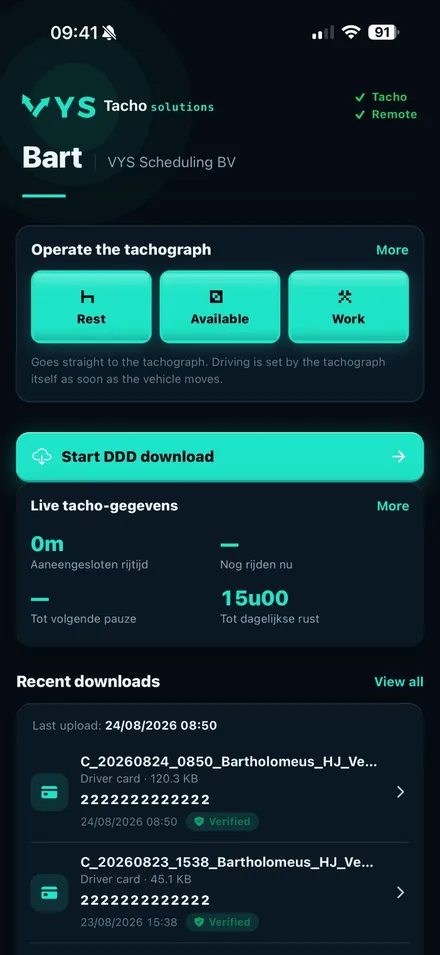
Downloading without extra equipment
No hardware
No download key, no cable and no box for a mechanic to install. A phone, tablet or on-board computer in the cab is all you need.
Automatic, if you want
With automatic download switched on, the app reads the driver card by itself as soon as the phone is connected to the tachograph: every 24 hours by default, adjustable from 4 to 48 hours.
Straight into the portal
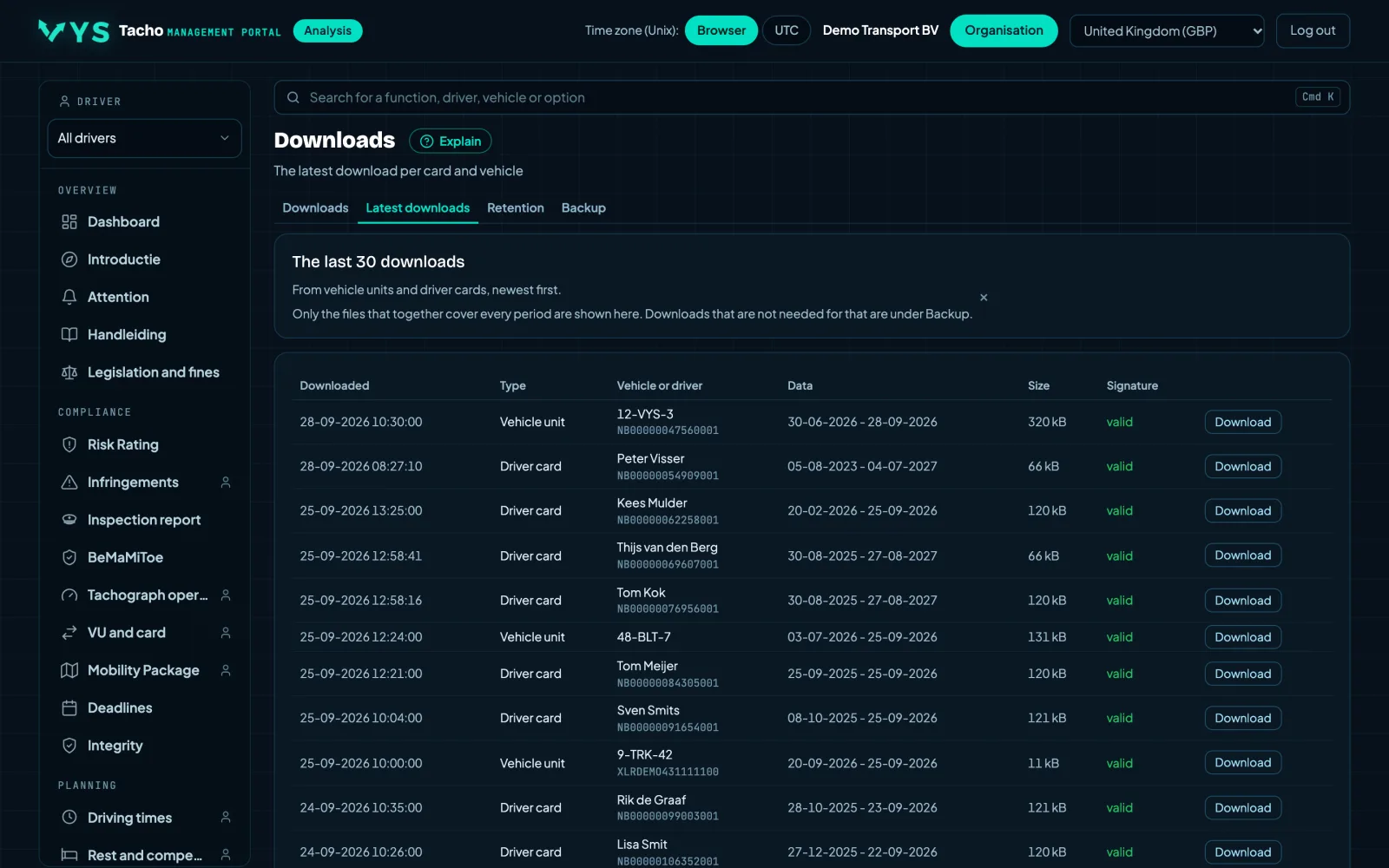
Every file goes to your portal on vystacho.nl. There you see the latest download per card and per vehicle, and whether the digital signature is valid.
From sign-up to the first file
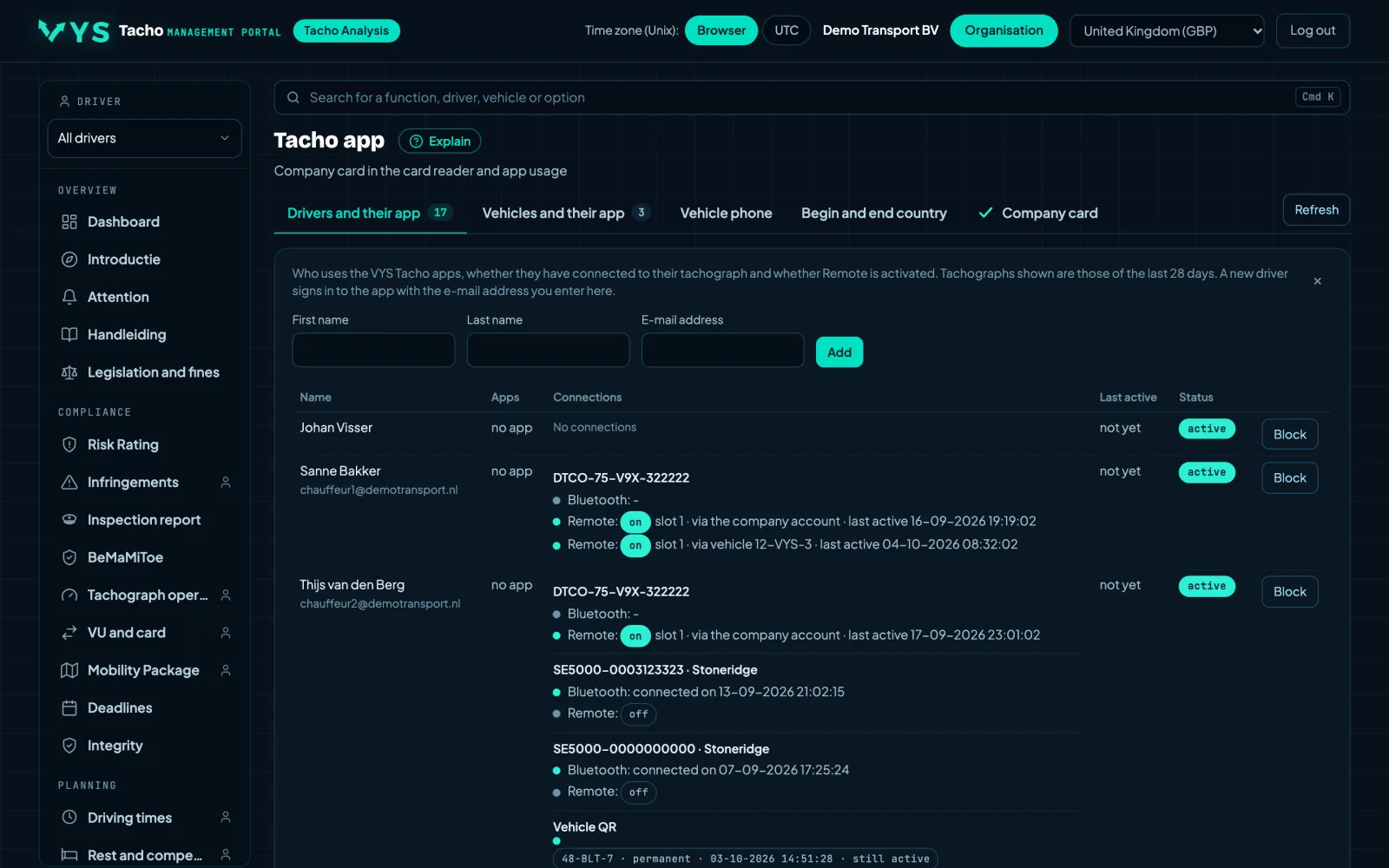
Sign up and add drivers
Sign your company up here. Then add your drivers in the portal; each driver logs in to the app with his own email address and a code by email.
Pair once
On a VDO you start pairing in the tachograph menu, with the driver card inserted, and confirm a six-digit code on the phone and the display. On a Stoneridge you confirm the code the phone asks for.
Switch on automatic download
In the app settings you choose how often the card is read and whether the vehicle unit should come along. You can always start a download yourself.
The files in the portal
Every DDD file is in the portal straight away, with the signature check. You download it there as an official file, or share it from the app.
Pair once
On a VDO you start pairing in the tachograph menu, with the driver card inserted, and confirm a six-digit code on the phone and the display. On a Stoneridge you confirm the code the phone asks for.
- Other brands, such as the Intellic EFAS, and tachographs without their own Bluetooth are not supported.
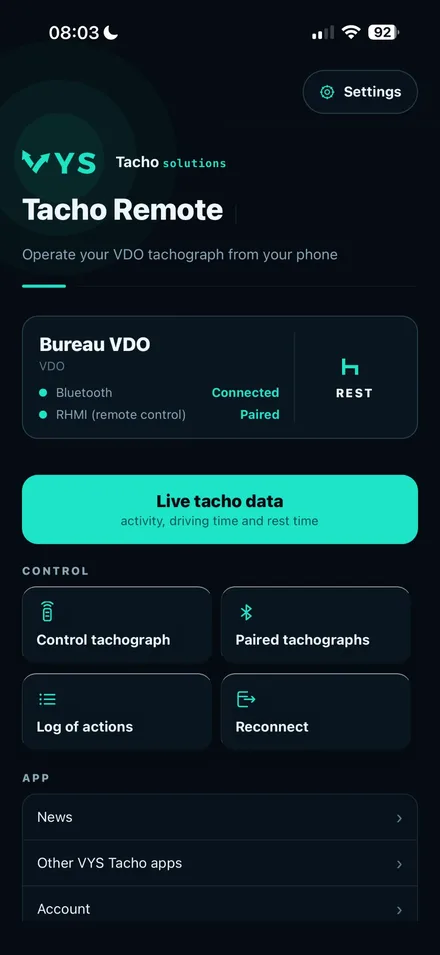
Read the driver card without a card reader
The card simply stays in the tachograph. The app fetches the full content of the card over Bluetooth and sends the file to the portal. That keeps you well within the 28 days that apply to the driver card.
- Automatically in the background: every 4, 8, 12, 24 or 48 hours
- If an attempt fails, the app tries again by itself
- You can always start one with the Start DDD download button
- A fixed phone per vehicle works too: it downloads the card of every driver who gets in
- Works with the VDO DTCO 4.1 and the Stoneridge SE5000 Smart 2
The card must be in the tachograph and the ignition must be on: with the ignition off the tachograph normally switches its Bluetooth off. If the driver swipes the app away on an iPhone, automatic download only continues once the app is opened the app again.
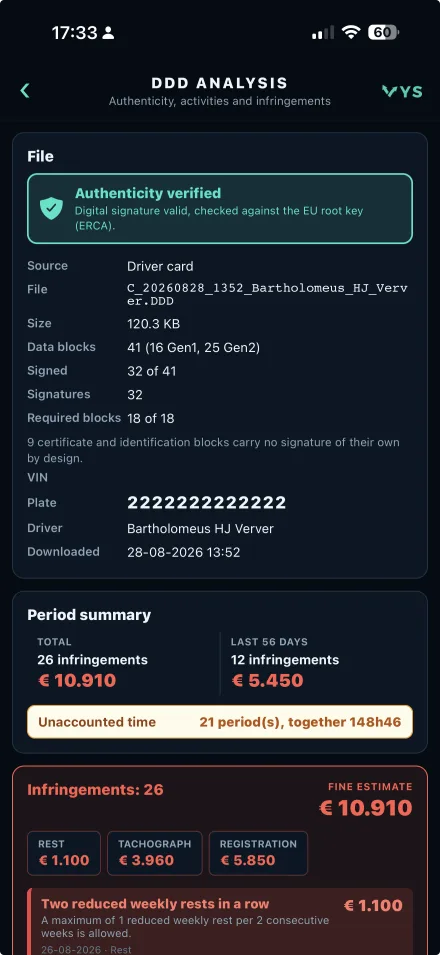
The vehicle unit remotely, with the company card at the office
The vehicle unit always needs a company card. With a VDO it does not have to be in the truck: it sits in a card reader at the office, and VYS Tacho Bridge on the computer handles the secure remote authentication. The app then fetches 90 days, in about four minutes.
- VDO: company card in a USB card reader at the office, with VYS Tacho Bridge on Windows or macOS (Apple Silicon)
- Automatically right after the card download, if you choose tachograph memory plus driver card
- Stoneridge SE5000: with the company card in the tachograph, 90 days in seven to eight minutes
- You download the file as an official DDD file, with the signature intact
If the company card is in the VDO itself instead of at the office, the app fetches 28 days. A DTCO 4.1b allows 24 remote authentications per day per vehicle; the app keeps count.
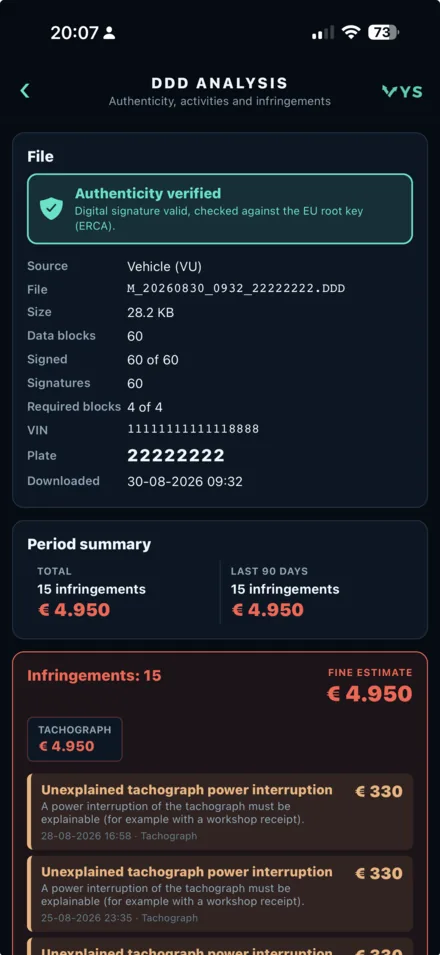
Which tachograph works with it
The app talks directly to the second generation, version 2 smart tachograph (Smart 2), using the tachograph’s own Bluetooth.
| VDO DTCO 4.1 | Stoneridge SE5000 Smart 2 | |
|---|---|---|
| Driver card over Bluetooth | Yes | Yes |
| Automatic download | Yes | Yes |
| Vehicle unit with the company card at the office | Yes, 90 days | No |
| Vehicle unit with the company card in the tachograph | Yes, 28 days | Yes, 90 days |
Other brands, such as the Intellic EFAS, and tachographs without their own Bluetooth are not supported.
Switch on automatic download
In the app settings you choose how often the card is read and whether the vehicle unit should come along. You can always start a download yourself.
- Automatically in the background: every 4, 8, 12, 24 or 48 hours
- If an attempt fails, the app tries again by itself
- You can always start one with the Start DDD download button
What you need
A device with internet
A phone, tablet or on-board computer with Bluetooth and an internet connection, per driver or fixed per vehicle. On an iPhone with iOS 15.1 or later.
A smart tachograph
A VDO DTCO 4.1 or a Stoneridge SE5000 Smart 2.
For the vehicle unit
A company card. For a VDO remotely also a USB card reader and a computer with VYS Tacho Bridge.
A subscription
7 days free, then per active driver per month. Sign up here.
Everything comes together in the portal on vystacho.nl
The portal is where your company manages the files. You see the newest download per card and per vehicle, which files are incomplete or have a signature that does not check out, and your company cards with their expiry date.
- The latest download per driver card and per vehicle
- Download check over 56 and 90 days
- Company cards and the card reader at the office
- Add drivers and see who uses the app
Looking for the full analysis of driving and rest times and infringements as well? Visit tachoanalyse.eu.
Tachograph download: all topics
No extra hardware
No download key, cable or box: the app and the tachograph's Bluetooth are enough.
Read moreRemote download
Download the vehicle unit while the company card stays at the office or in our card hotel.
Read moreCard hotel
Your company card in our card hotel, or in a card reader at your own office.
Read moreThe download obligation
Card every 28 days, vehicle unit every 90 days: the app meets it.
Read moreAnalysis
Right on the phone and later in the portal: infringements, driving and rest times.
Read moreFor owner-drivers
Download your own card and vehicle, without a box, card reader or office.
Read moreSmall transport companies
From two to twenty trucks: downloading without investing in hardware.
Read moreOn-board computer and tablet
The app runs on a phone, tablet or on-board computer: one device with internet is enough.
Read moreVDO DTCO 4.1
Download card and vehicle unit from a VDO DTCO 4.1, remotely too.
Read moreStoneridge SE5000
Download card and vehicle unit from a Stoneridge SE5000 Smart 2.
Read moreExtra apps for VDO
Mobile tacho, Tach'oClock, Tacho to Rest and remote control of the tachograph.
Read moreMobile tacho
Track working time outside the cab and enter it into the tachograph as a manual entry.
Read moreTach'oClock
Driving time, breaks and rest live on your phone, with the tachograph set to rest at standstill.
Read moreTacho to Rest
If the tachograph switches to work at standstill, the app sets it back to rest.
Read moreRemote control
Choose the activity, eject the card and print from your phone.
Read moreFrequently asked questions
Every question about tachograph download with the VYS Tacho app in one place.
Read morePay per active driver
You pay per month for each driver who is active in the portal. The number is updated every day, so a new driver counts and a driver who leaves no longer does.
- The first 7 days free
- Cancel monthly in the portal
- Secure payment via Stripe
- Invoice with VAT, or 0% reverse charge for a company in another EU country with a valid VAT number
More from the same app
Besides downloading you can switch on parts of the app per driver. You choose them when signing up and change them later in the portal.
Analysis in the app
The driver sees his own file checked for infringements in the app.
Mobile tacho and manual entry
Track working time outside the cab and enter it into the tachograph as a manual entry. VDO only.
Tach'oClock
Driving time, breaks and rest live on the phone. Setting the tachograph itself to rest only works with a VDO DTCO 4.1a or 4.1b.
Tacho to Rest
If the tachograph switches to work while standing still, the app sets it back to rest. VDO only.
Remote tachograph control
Choose the activity, eject the card and print from the phone. VDO only.
Tacho reader
Connection to the separate Tacho reader.
Frequently asked questions
Does anything have to be installed in the truck?
No. The app uses the Bluetooth that is already in the smart tachograph. No box, no cable and no download key goes into the vehicle.
Does it have to be a phone?
No. The app runs on an iPhone, but also on a tablet or on-board computer in the cab. One device with Bluetooth and an internet connection is enough; for a tablet or on-board computer we help you with the installation.
Which tachographs work with it?
The VDO DTCO 4.1 and the Stoneridge SE5000 Smart 2. Other brands, such as Intellic, and tachographs without their own Bluetooth do not.
Do I need a company card?
Not for the driver card. For the vehicle unit you do: with a VDO in a card reader at the office or in the tachograph, with a Stoneridge in the tachograph.
Does the driver have to do anything?
Pair once and switch on automatic download. After that the app downloads by itself, as long as the card is in the tachograph, the ignition is on and the app has not been swiped away.
Do I get a real DDD file?
Yes. A card file comes through unchanged, a vehicle unit file is downloaded as an official M file. The digital signature is checked.
How often do I have to download?
The driver card at least every 28 days and the vehicle unit at least every 90 days. The app does it more often, so you are never short.
What if there is no internet?
Then sending fails. The app does not keep the download to send later, but downloads again as soon as it can.
How does the 7-day trial work?
You enter a payment method when signing up. The first payment only follows after 7 days; cancel within those 7 days in the portal and you pay nothing.
Can I cancel?
Yes, monthly. In the portal you manage your subscription: payment method, invoices and cancelling.
Try it free for 7 days
Sign your company up, add your drivers and download your first file today.